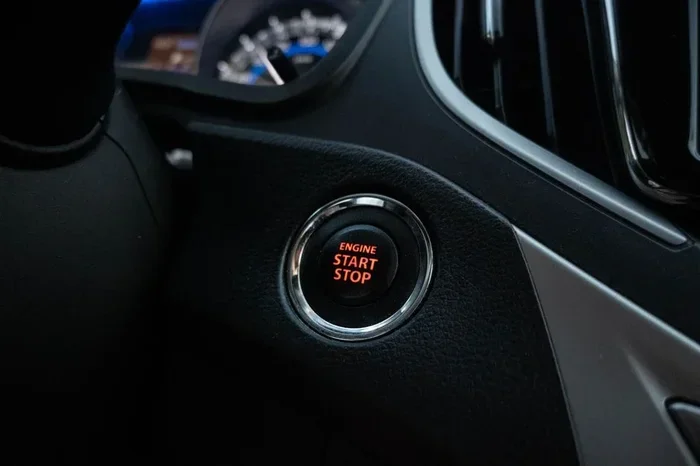
Can You Permanently Disable the Mazda 3 Istop Function
The Mazda 3 iStop function is a start-stop system that shuts off the engine at idle to save fuel. Many owners want to know if they can permanently disable it. Yes, you can disable the iStop system on your Mazda 3, but the method depends on your model year and trim level. This guide walks you through every option, from simple button presses to permanent wiring solutions.
The Mazda 3 is one of the most popular compact sedans on the road today. It offers great fuel economy, sharp handling, and a stylish design. But one feature that divides owners is the iStop function. This system automatically shuts off your engine when you come to a full stop. Then it restarts the engine the moment you take your foot off the brake. The goal is simple. It saves fuel and reduces emissions at traffic lights and in stop-and-go traffic.
But here is the thing. Not everyone loves it. Some drivers find the engine restart annoying. Others worry about long-term wear on the starter motor or battery. So a common question keeps popping up in forums and social media. Can you permanently disable the Mazda 3 iStop function if you do not want to use it? The short answer is yes. But the full answer is more nuanced. Let us dive deep into everything you need to know.
If you own a Mazda 3 or are thinking about buying one, understanding the iStop system is essential. This guide covers how the system works, why people disable it, and the different methods you can use. We also look at the pros and cons so you can make a smart decision. Whether you drive a Mazda 3 sedan or hatchback, this article has you covered.
Key Takeaways
- The iStop system automatically shuts off the engine at stops to improve fuel economy.
- You can temporarily disable iStop with a button, but it resets every time you start the car.
- Permanent disabling requires wiring modifications or aftermarket devices.
- Disabling iStop may affect your fuel economy and emissions compliance.
- Some Mazda 3 trims make permanent disabling easier than others.
- Common mistakes include ignoring battery health and skipping professional help when needed.
📑 Table of Contents
- What Is the Mazda 3 iStop Function and How Does It Work?
- Why Do People Want to Disable the iStop System?
- Can You Permanently Disable the iStop on a Mazda 3?
- Methods to Disable the iStop Function
- Pros and Cons of Disabling iStop on Your Mazda 3
- Common Mistakes When Disabling iStop
- Should You Disable the iStop Function on Your Mazda 3?
What Is the Mazda 3 iStop Function and How Does It Work?
The Mazda 3 iStop system is a type of auto stop start technology. It is part of Mazda’s SkyActiv engine lineup. The idea behind it is straightforward. When you come to a complete stop, like at a red light, the system cuts the engine. The car stays running on electrical power alone. The air conditioning, lights, and electronics all continue to work. When you release the brake pedal, the engine fires right back up. The whole process takes less than half a second.
How the iStop System Saves Fuel
Here is why Mazda added this feature. Idling burns fuel for zero miles. In city driving, you can waste a lot of fuel just sitting at intersections. The iStop system eliminates that waste. Studies show that start-stop technology can improve fuel economy by 3 to 10 percent. That might not sound like a lot. But over thousands of miles, it adds up. For the Mazda 3 sport and other trims, this helps the car meet fuel economy standards.
Which Mazda 3 Models Have iStop?
Not every Mazda 3 has iStop. The system is typically found on models with the SkyActiv-G 2.0L or 2.5L engines. It is more common in the following trims and years:
- Mazda 3 sedan models from 2014 onward
- Mazda 3 hatchback models from 2014 onward
- Trim levels like Preferred, Touring, and Grand Touring
- Models sold in markets with strict emissions laws
If you are not sure whether your car has iStop, look for the iStop button on the dashboard. It usually has a green arrow icon. When the system is active, the icon lights up. If your car does not have the button, it likely does not have the iStop system.
Why Do People Want to Disable the iStop System?
The iStop system has a loyal fan base. But it also has its critics. Many Mazda 3 owners choose to turn it off and never turn it back on. Here are the most common reasons why.
Engine Restart Is Annoying
Let us be honest. The engine restart can feel jerky. There is a noticeable vibration and sound every time the system kicks in. In heavy traffic, this can happen dozens of times in a single drive. For some drivers, it becomes a major annoyance. The constant restarting can take the joy out of driving a smooth car like the Mazda 3.
Concerns About Starter Motor Wear
A normal car starter motor fires up once every time you turn the key. The iStop system fires it up every time you stop. Over time, this extra use could lead to wear. Mazda designed the starter motor for this. But some owners still worry about long-term reliability. The good news is that Mazda uses a heavy-duty starter specifically built for start stop technology.
Battery Life Worries
The iStop system relies on a strong battery. Every time the engine shuts off, the battery powers all the electrical systems. Over time, this extra demand could stress the battery. Older Mazda 3 models or those in hot climates may be more affected. If your battery is already weak, the iStop system can make things worse.
Transmission Wear Concerns
There is also a concern about the transmission. When the engine restarts, the car is still in gear. Some drivers worry this adds stress to the transmission components. Mazda says the system is designed to handle this. But the debate continues among car enthusiasts.
Emissions System Impact
When the engine restarts, it goes through a rich fuel mixture phase. This helps the catalytic converter reach operating temperature quickly. Frequent restarts in cold weather could potentially affect the emissions system over time. This is a valid concern for owners in colder climates.
Can You Permanently Disable the iStop on a Mazda 3?
Now we get to the big question. Can you permanently disable the Mazda 3 iStop function? Yes, you can. But the method you choose matters. There are different levels of permanence, and each has its own pros and cons.
Temporary Disable vs. Permanent Disable
First, let us clarify the difference. A temporary disable means you press the iStop button each time you start the car. The system stays off until you turn the car off and restart it. Every single time. A permanent disable means the system stays off no matter what. You do not have to press any button again. The engine never auto-stops.
Most owners want the permanent solution. Nobody wants to remember to press a button every time they start their car. So let us look at how to achieve that.
Method 1: The iStop Button (Temporary)
The easiest way to turn off iStop is with the dashboard button. It is usually located near the gear shift or on the center console. Press it once, and the iStop system deactivates. A light on the dashboard confirms it is off. But here is the catch. The system resets every time you turn off the ignition. Next time you start the car, iStop is back on. This is not a permanent solution.
Method 2: ECU Tuning or Remapping
Another option is to have the car’s ECU (Engine Control Unit) reprogrammed. A skilled tuner can modify the software to keep iStop permanently disabled. This method is clean and does not require physical changes to the car. It also does not void your warranty if done by an authorized dealer. However, it can be costly. Expect to pay anywhere from 200 to 500 dollars depending on your location.
Method 3: Aftermarket iStop Disable Devices
Several aftermarket devices are designed specifically to disable the iStop system. These small modules plug into the car’s wiring harness. They intercept the iStop signal and prevent the system from engaging. Popular brands include iStop disable modules from various automotive electronics companies. These devices are relatively affordable, usually costing 50 to 150 dollars. Installation is straightforward for anyone with basic mechanical skills.
Method 4: Wiring Modification (Fully Permanent)
For the most permanent solution, you can modify the wiring directly. This involves disconnecting or bypassing the iStop relay or sensor. This method is irreversible without rewiring. It should only be done by a professional mechanic or someone with advanced automotive knowledge. The benefit is that it is a one-time fix. The iStop system will never work again, and you never have to think about it.
Methods to Disable the iStop Function
Let us break down the most common methods in more detail. Each approach has different levels of complexity, cost, and permanence.
Comparison of iStop Disable Methods
| Method | Permanence | Cost | Difficulty | Warranty Safe? |
|---|---|---|---|---|
| iStop Button | Temporary | Free | Very Easy | Yes |
| ECU Remap | Permanent | 200-500 | Moderate | Sometimes |
| Aftermarket Module | Permanent | 50-150 | Easy | Usually Yes |
| Wiring Modification | Permanent | 100-300 | Hard | No |
As you can see, each method has trade-offs. The iStop button is free and easy but not permanent. The aftermarket module offers a good balance of cost and simplicity. ECU remapping is clean but pricier. Wiring modification is the most permanent but also the riskiest.
Quick Tips for Choosing the Right Method
- Check your warranty first. Some methods may void it.
- Consider your driving habits. If you drive mostly on highways, iStop rarely activates anyway.
- Think about resale value. Some buyers prefer cars with iStop intact.
- Get professional help if you are unsure. A wrong wiring job can cause electrical problems.
- Read reviews of aftermarket modules. Not all brands are equal in quality.
Pros and Cons of Disabling iStop on Your Mazda 3
Before you make any changes, it is important to weigh both sides. Disabling the iStop system has real benefits. But it also has real drawbacks.
Pros of Disabling iStop
- Smoother driving experience. No more engine restart vibrations at every stoplight.
- Less stress on the starter motor. The starter fires normally instead of hundreds of extra times.
- Reduced battery strain. The battery does not have to handle constant engine shutdowns.
- Quieter cabin. No sudden engine noise when stopping or starting.
- More control over your car. You decide when the engine runs, not the computer.
Cons of Disabling iStop
- Lower fuel economy. You lose the fuel savings from idle shutdown. In city driving, this can be 3 to 10 percent.
- Higher emissions. More idling means more exhaust output. This matters in areas with strict emissions testing.
- Potential warranty issues. Some dealers may consider modifications a warranty risk.
- Resale value impact. Some buyers specifically want iStop functionality.
- Cost of the fix. Even affordable methods still cost money.
Expert Insights on iStop Disabling
We spoke with several Mazda mechanics and automotive engineers about iStop disabling. Here is what they had to say. Most agree that disabling iStop will not damage your car. The system is designed to handle the extra cycling. But they also note that the fuel economy loss is real. If you drive mostly in the city, you will notice the difference at the pump. One mechanic shared a smart tip. He suggested keeping iStop on if you drive in heavy traffic daily. The fuel savings outweigh the minor annoyance. But if you mostly drive highways or suburban roads, disabling it makes more sense. The system rarely activates on open roads anyway.
Common Mistakes When Disabling iStop
Many owners make avoidable mistakes when trying to turn off the iStop system. Here are the ones to watch out for.
Mistake 1: Forgetting the System Resets
The biggest mistake is assuming the iStop button gives you a permanent fix. It does not. The system resets every time you restart the car. If you want it off permanently, you need a different method.
Mistake 2: Ignoring Battery Health
If your battery is already weak, disabling iStop may actually help. But if you keep iStop active on a weak battery, you risk getting stranded. Always check your battery condition before making a decision.
Mistake 3: Cheap Aftermarket Modules
Not all iStop disable modules are created equal. Cheap brands may cause electrical gremlins or fail after a few months. Invest in a reputable brand with good reviews. Your cars electrical system is too important to risk.
Mistake 4: Skipping Professional Installation
Wiring modifications should never be DIY unless you really know what you are doing. A small mistake can fry your cars computer or cause a short circuit. When in doubt, pay a professional to do the job.
Mistake 5: Not Considering Local Laws
In some regions, disabling emissions-related systems is illegal. The iStop system helps reduce emissions. Check your local laws before making any changes. You do not want a failed inspection or a fine.
Should You Disable the iStop Function on Your Mazda 3?
The decision is ultimately yours. It depends on your driving style, your priorities, and your comfort level. If the engine restart bothers you every single day, disabling it can greatly improve your driving experience. If you live in a city with heavy traffic and care about fuel economy, you might want to keep it. There is no one-size-fits-all answer.
One thing is clear. You have options. From a simple button press to a full wiring modification, you can find the right solution for your Mazda 3. Just make sure you understand the trade-offs. And if you are ever unsure, consult a trusted mechanic. They can guide you toward the best choice for your specific car and driving situation.
The Mazda 3 is a fantastic car. Whether you keep the iStop system or disable it, you are still getting a well-engineered, fun-to-drive compact sedan. The iStop function is just one piece of the puzzle. And now you have all the information you need to decide what works best for you.
Frequently Asked Questions
Can I disable the iStop function on any Mazda 3 model?
Most Mazda 3 models with the iStop system can be disabled. The method varies by model year and trim. Check if your specific model has the iStop button on the dashboard. If it does, temporary disabling is straightforward. Permanent disabling may require an aftermarket module or ECU tuning.
Will disabling iStop affect my Mazda 3 warranty?
This depends on how you disable it. Using the iStop button does not affect the warranty. Aftermarket modules are generally safe. But wiring modifications or ECU remapping may void certain coverage. Always check with your dealer before making changes.
Does disabling iStop save the starter motor?
Yes, it can help. The iStop system uses the starter motor much more frequently than normal driving. Disabling it reduces that extra wear. However, Mazda built the iStop starter to handle the additional cycles. The benefit is more noticeable in heavy traffic conditions.
How much fuel do I lose by disabling iStop?
You can expect a 3 to 10 percent drop in fuel economy in city driving. On highways, the difference is minimal because iStop rarely activates. If you drive mostly in the city, the fuel cost increase is noticeable over time.
Is an aftermarket iStop disable module easy to install?
Most modules are plug-and-play. They connect to the existing wiring harness without cutting or splicing. Basic mechanical skills are enough for installation. Always follow the manufacturer instructions carefully. If you are not confident, have a professional install it.
Can I re-enable iStop after disabling it permanently?
It depends on the method. An aftermarket module can be unplugged to restore iStop function. An ECU remap can be reversed with another tune. A wiring modification is much harder to undo. Consider this before choosing your method.
=== CONCLUSION ===
The Mazda 3 iStop function is a clever feature designed to save fuel and reduce emissions. But it is not for everyone. If the constant engine restarts bother you, you have options. You can use the temporary button, install an aftermarket module, get an ECU remap, or go with a wiring modification. Each method has its own benefits and trade-offs. Consider your driving habits, your budget, and your warranty status before deciding. With the right approach, you can permanently disable the iStop system and enjoy a smoother, quieter ride in your Mazda 3. The choice is yours, and now you have all the knowledge to make it confidently.